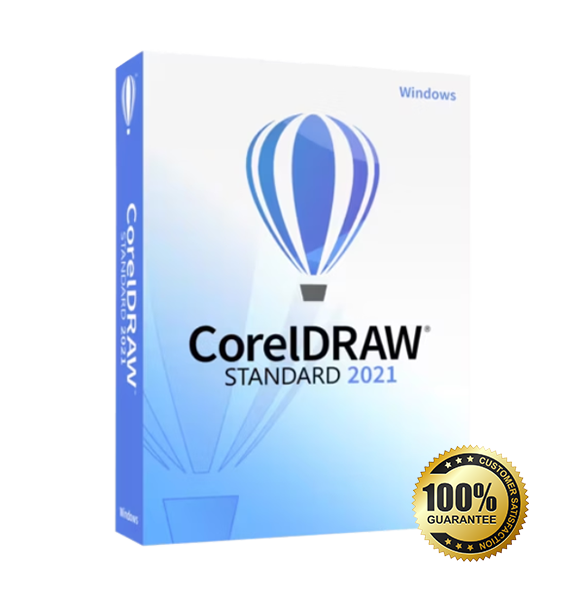
CorelDRAW 2021 Standard for Windows is built for home users, creators, and small businesses who need reliable vector design, layout, and photo editing in one straightforward package. You get a lifetime license, fast digital delivery.
Overview of CorelDRAW 2021 Standard
Platform: Windows 10/11 (64-bit)
Edition: Standard
License Type: Retail
Devices: 1 device
License Duration: Lifetime
Activation Method: Online activation
Delivery: fast digital delivery via email
Support: Email and remote assistance
Language Support: Multi-language
What Is CorelDRAW 2021 Standard?
CorelDRAW 2021 Standard is an all-in-one graphic design solution that helps you create professional vector illustrations, marketing materials, logos, social media graphics, and print-ready layouts—without the complexity of enterprise-only toolsets. If you want a dependable, non-subscription solution for everyday design and light production work, this edition is made for you.
If you need advanced workflows for teams, multi-device web collaboration, and a broader professional toolset, consider upgrading to an alternative edition like CorelDRAW Graphics Suite. For more creative software options, browse our Graphic Design Software category.
Included Features in CorelDRAW 2021 Standard
Vector Illustration Tools: Create clean logos, icons, and scalable artwork with precision drawing and shape controls.
Page Layout & Print Output: Build flyers, brochures, and multi-page documents with consistent spacing and alignment.
Photo Editing with PHOTO-PAINT: Retouch images and improve visuals for ads, product graphics, and social posts.
Typography & Text Controls: Design polished headlines and brand text with refined font handling and text formatting.
Export & File Compatibility: Deliver work in common formats like PDF and popular image types for clients and printers.
New Features in CorelDRAW 2021 Standard
Multipage View: See and manage multiple pages at once to speed up layout-heavy projects.
Perspective Drawing: Draw objects and scenes in realistic perspective without building complex grids manually.
Multi-asset Export: Export multiple pages or objects in one workflow with flexible output options.
Improved Image Adjustments: Make faster, more accurate edits using modernized adjustment workflows in PHOTO-PAINT.
Enhanced Pan & Zoom Performance: Smoother navigation, especially on complex designs, for more responsive editing.
Key Features & Benefits of CorelDRAW 2021 Standard
Security & Compliance
You buy with confidence because your purchase is 100% legal under EU law, aligned with Directive 2009/24/EC. You receive an authentic product key and a transparent licensing path suitable for EU customers who value compliance.
Performance & Smooth Editing
You spend less time waiting and more time creating. CorelDRAW 2021 Standard is designed to keep everyday design tasks responsive, with improvements that help you navigate complex documents more smoothly.
Remote-Friendly Workflow
You can keep moving even if you’re not a power user. With remote activation support available from Digital License, you can get help with installation, activation steps, and common setup issues without wasting hours troubleshooting.
Productivity & Efficient Output
You can design once and output everywhere. With stronger export workflows and practical multipage tools, you can produce print-ready PDFs, marketing graphics, and web assets quickly—ideal for small business content cycles.
One-Time Ownership
You avoid ongoing costs with a lifetime license—there is no subscription or renewal. It’s a straightforward way to own CorelDRAW 2021 Standard permanently on one device, while keeping the flexibility to transfer when needed.
How to Activate Your CorelDRAW 2021 Standard License
Download the software from official website
Install it on your device
Go to Settings > Activation
Enter your product key and activate online
CorelDRAW 2021 Standard
Processor | Intel Core i3/AMD Ryzen 3 or better |
RAM | 4 GB RAM (8 GB recommended) |
Storage | 4 GB of available disk space |
Operating System | Windows 10, Windows 11 (64-bit) |
Graphics | OpenCL 1.2–compatible graphics card |
Display | Minimum resolution: 1280 × 720 (1920 × 1080 recommended) |