

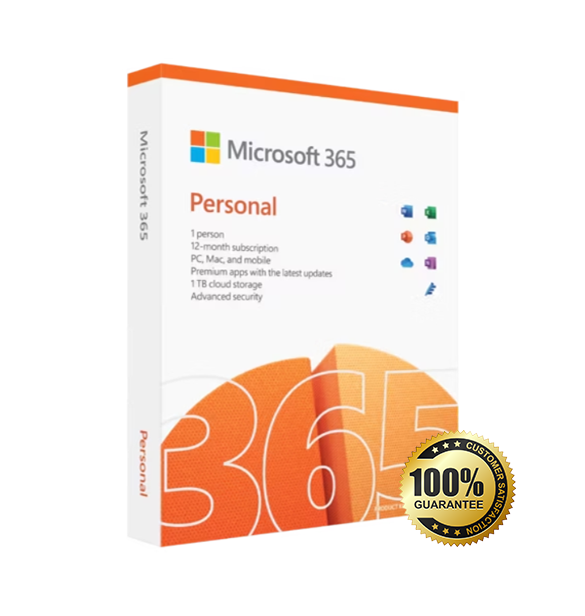
Office 365 Account is the latest productivity suite from Microsoft for Windows and macOS users. Tailored for students, professionals, and families, this version includes a 1-year subscription with a bind license tied to your Microsoft account.
Overview of Office 365 Account
Platform: Windows, macOS
Edition: Microsoft 365
Product: Account
Devices: 1 device (transferable)
License Duration: 1 year
Activation Method: Online activation via Microsoft account
Delivery: Fast digital delivery via email
Support: Email and remote assistance
Language Support: Multi-language
Compliance: Fully legal resale under EU Directive 2009/24/EC
What Is Office 365?
Microsoft 365 gives you access to premium Office apps like Word, Excel, PowerPoint, and Outlook, backed by 1 TB of cloud storage with OneDrive and security features across your devices. This edition is perfect for users who want to stay up-to-date with the latest features without committing to a perpetual license.
It’s a 1-year subscription with a bind license—meaning it’s linked to your Microsoft account and can be reactivated on a different device if you upgrade or change your computer.
Included Features in Office 365
Word: Craft documents with smart editing tools and professional templates.
Excel: Visualize and analyze data with advanced charts and formulas.
PowerPoint: Build engaging presentations with transitions and media tools.
Outlook: Manage emails, contacts, and calendars with ease.
New Features in Office 365
Copilot AI: Intelligent assistance in Word, Excel, and Outlook (in supported regions).
Cloud-first tools: Auto-save and real-time co-authoring with OneDrive and SharePoint.
Design Ideas: Smart layout and slide suggestions in PowerPoint.
Data Types & Dynamic Arrays: Powerful new Excel features for smarter spreadsheets.
Multi-device sync: Work seamlessly across Windows, Mac, and mobile platforms.
Product Details: This is not a license key; this is a Microsoft 365 account. Only the email and password will be provided.
The account’s email address cannot be changed, and password modification is mandatory.
This subscription does not include OneDrive storage.
Official installation and activation steps for office 365:
1. Open the official website: portal.office.com or login.microsoftonline.com
2. First log in with the account and initial password we sent you, and then you will be prompted to change password.
3. Click “install office” in the upper right corner to download the official installer. (If you need to set the language and digits, click other installation button)
4. Upon the installation of office 365 is complete, you can log in and activate using the account we sent you and your changed password.
F.A.Qs
Q: what do I get after I purchase it?
This is a NEW account, there is no CD/DVD, physical copy, license key or a serial code! If you get any questions or concerns, please send us a message before buying.
Q. How does it work?
You will get an account email & account password, and then you will need to log in to www.office.com with this account email
and password (PS: you can only change account password ,can not change it to your account name or email)
Q: Are these licenses legitimate?
Yes, the licenses are legitimate and authentic. The license is a business license which forms part of an academic license.
Q. What operating system does it support?
Licenses work on both x86 (32bit) and x64 (64bit) versions of Windows (7 or later) and also Mac (OS 10.10 or later).
Q. Can I use this with Android and iPhones or iPads?
Yes, download the relevant apps from the app store and login in with the account to activate on your device.
Q. I have an older version of Office already installed on my device, What should I do?
We recommend removing this before installing any applications from the new account.
Any questions, feel free to reach out us.
Office 365 Account
Processor | Windows: 1.6 GHz or faster, 2-core processor macOS: Intel processor or Apple Silicon (via Rosetta) Android: ARM-based or Intel x86 processor iOS: Compatible iPhone/iPad with latest iOS |
RAM | Windows: 4 GB for 64-bit; 2 GB for 32-bit macOS: 4 GB Android/iOS: Not specified, device-dependent |
Storage | Windows/macOS: At least 4 GB of available disk space Android: Device must have at least 1 GB RAM and Android 9.0 or later iOS: iOS version 15.0 or later required |
Operating System | Windows: Windows 10, Windows 11, or Windows Server 2019/2022/2025 macOS: Three latest versions of macOS Android: Android 9.0 or later iOS: iOS 15.0 or later |
Graphics | Windows: DirectX 9 or later with WDDM 2.0 or higher macOS/Android/iOS: No specific GPU requirement |
Display | Windows: 1280 × 768 minimum resolution macOS: 1280 × 800 minimum resolution Mobile: Device-appropriate screen size |
Browser | The current version of Microsoft Edge, Safari, Chrome, or Firefox |
Internet | Internet functionality requires an internet connection |


