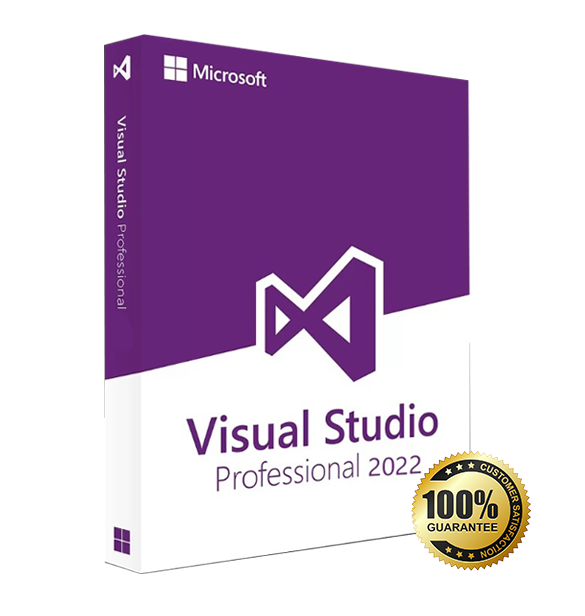
Microsoft Visual Studio 2019 Professional is an IDE for Windows designed for professional developers, freelancers, and small teams. Your purchase includes a lifetime license with digital delivery.
Overview of Microsoft Visual Studio 2019 Professional
Platform: Windows 10/11 (32/64-bit)
Edition: Professional
License Type: Retail
Devices: 1 device
License Duration: Lifetime
Activation Method: Online activation
Delivery: Instant digital delivery via email
Support: Email and remote assistance
Language Support: Multi-language
What Is Microsoft Visual Studio 2019 Professional?
Visual Studio 2019 Professional is Microsoft’s integrated development environment that helps you build, test, and publish modern applications for desktop, web, mobile, and cloud. You get powerful coding tools, AI-assisted IntelliCode, rich debugging, unit testing, and integrated Git so you can deliver reliable software faster.
If you need more advanced diagnostics and enterprise-scale testing, consider Microsoft Visual Studio 2019 Enterprise. You can also browse our Developer Software & IDEs category for related products.
Included Features in Microsoft Visual Studio 2019 Professional
IntelliCode (AI suggestions): Accelerate coding with context-aware completions trained on open-source patterns.
Integrated Git tooling: Clone, commit, branch, and manage pull requests directly from the IDE.
CodeLens insights: See references, authors, and test results inline to stay in flow.
Advanced debugger: Set data breakpoints, watch values, and diagnose issues quickly.
Test Explorer: Run and manage unit tests for .NET, C++, and more with real-time results.
New Features in Microsoft Visual Studio 2019 Professional
New Start Window & UI polish: Faster project creation, cleaner search, and a streamlined interface.
Improved performance: Quicker solution load and responsive editing for large codebases.
.NET Core 3.x & modern .NET support: Build Windows desktop (WPF/WinForms) and web services with the latest SDKs.
Enhanced C++ tooling: Better CMake support, modern C++ standards, and faster build diagnostics.
Live Share collaboration: Pair program and review code in real time without cloning repositories.
What will I receive if I purchase Microsoft Visual Studio 2019 Professional?
– 1 Activation Code for Microsoft Visual Studio 2019 Professional valid for use in 1 PC- (Product Key)
– Download link for Visual Studio 2019 Professional
– Quick and easy installation guide
– Free technical support
– Invoice
Visual Studio 2019 Professional
Processor | 1.8 GHz or faster processor; Quad-core or better recommended |
RAM | Minimum: 2 GB; Recommended: 8 GB or more (2.5 GB minimum if running on a virtual machine) |
Storage | Minimum of 800 MB up to 210 GB of available space, depending on installed features |
Operating System | Windows 10 version 1703 or later, Windows Server 2016, or Windows Server 2019 |
Graphics | DirectX 9-capable video card with a minimum display resolution of 720p; 1080p or higher recommended |
Display | Minimum resolution 1280 × 720; 1920 × 1080 or higher recommended |
Additional Requirements | .NET Framework 4.5.2 or later; Administrator rights required for installation; Internet access required for updates and online features |
Supported Workloads | Includes workloads for .NET, C++, Python, JavaScript, Node.js, Azure, and data science; additional components may require extra disk space |